
Mentor's Guide
- What we sell and who our clients are
- How to fill in your profile
- Key mentorship principles
- How you teach students and communicate with them
- Managing the student's subscription
- Study programs
- Quests
- Voice Consultations
- About money
- Rules of communication between mkdev and mentors
- Teaching somewhere else
- Meditations on Programming
- Study Plan Example
Quests
Mentorship always includes lots of practical tasks. Each task is thoroughly checked by the mentor, since the student pays for an honest and close to the real life review of all the code.
Even though mkdev mentorship is highly personalized, there are some things that all students do. For example, every Ruby on Rails mentor always has the students who have basic knowledge in Ruby and no knowledge at all in Rails. So such students usually get almost identical practical tasks from the mentor. Tasks fulfillment should be monitored somehow. The students should be notified that the code review is done and they can continue with the other task. We invented Quests to simplify this process.
Any Quest is just a series of practical tasks made by a mentor to simplify the process of giving and checking the tasks. All the theory needed is usually delivered through the links to different sources, such as docs, articles, sometimes books. So Quests have almost no theoretical material. Quests are as easy as pie:
- Any Quest consists of Tasks
- Tasks should be completed one by one, the student can’t start the next task without completing the previous one
- The mentor can:
- Accept the task
- Refuse the task (send it back to the student to brush it up)
Each task has a link to the Pull Request, which the student links when submits the task for the review first. This link can lead to basically anything, we do not check the links and the ability to add a link exists only for the convenience of those who review the code on GitHub/Gitlab/BitBucket.
If the mentor accepts the task, the student should write a small report for this task and then continue with the next one.
Here’s how it looks for the student:
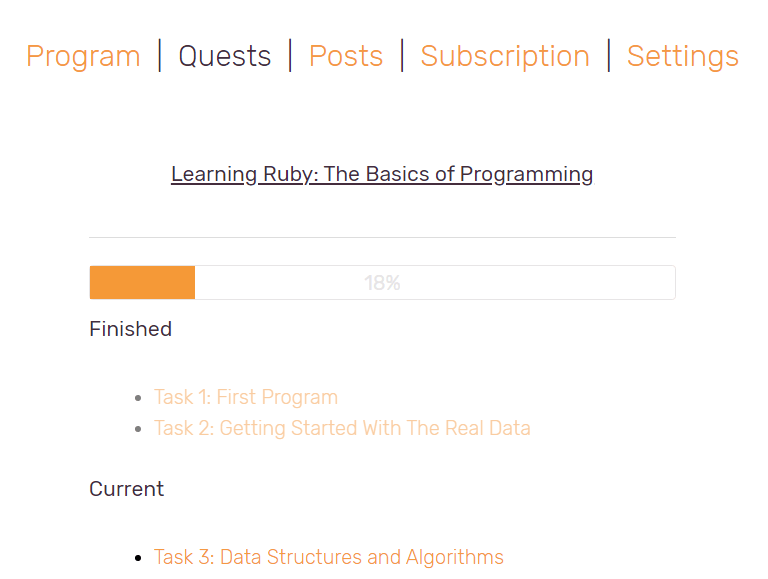
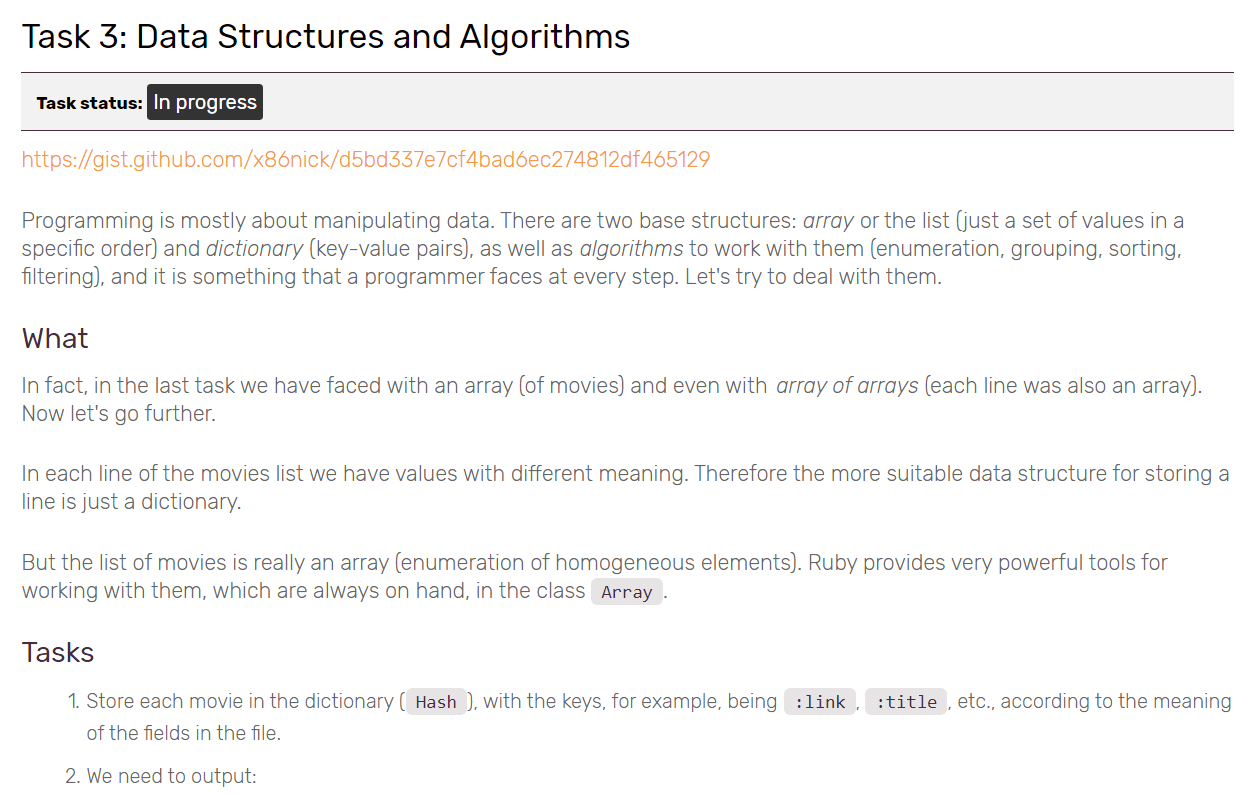
We see that the quest ‘Learning Ruby: The Basics of Programming’ is active. Here’s how the task page looks:
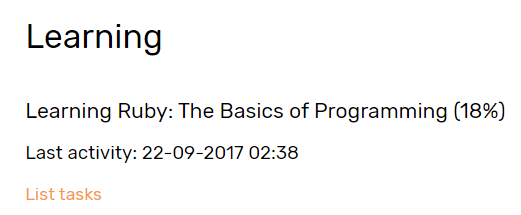
In the student’s profile in your Office you can check the status of all the quests, both done and not:
How to use available quests
There are some quests on the website the author of which can make them available or not. If you don’t know who the author is, ask Alexey, Leonid or Kirill.
How to create a new quest
At any moment any mentor can create a new quest:
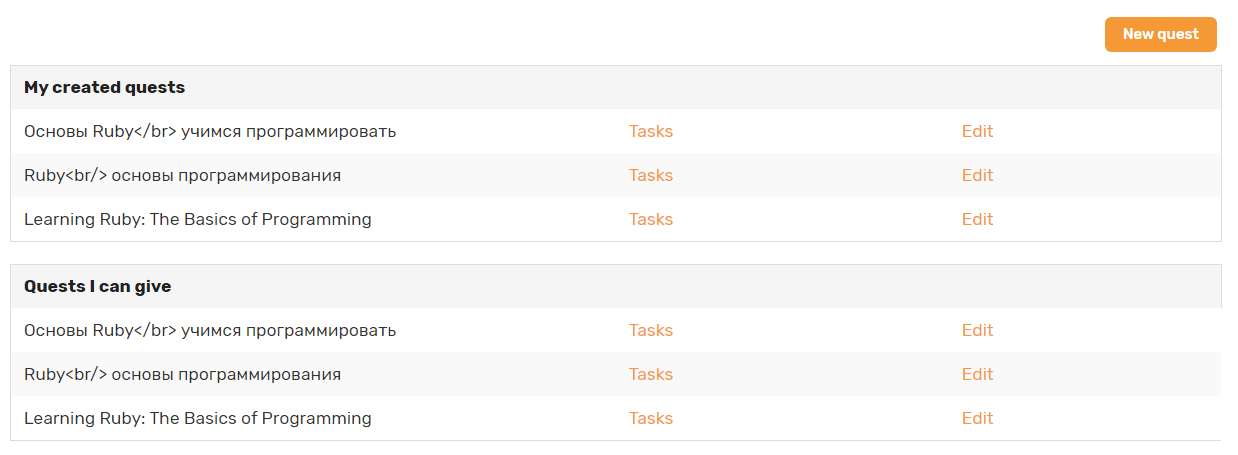
There are also statistics and several fields for different descriptions for quests.
Let’s us remind you that Quests are as easy as pie. We are ready for any suggestions on how to improve them. We plan to change it drastically and make it better, but we can’t say that these plans are short-term. Remember that Quests simplify the study process, but cannot be the full-fledged study system on its own.